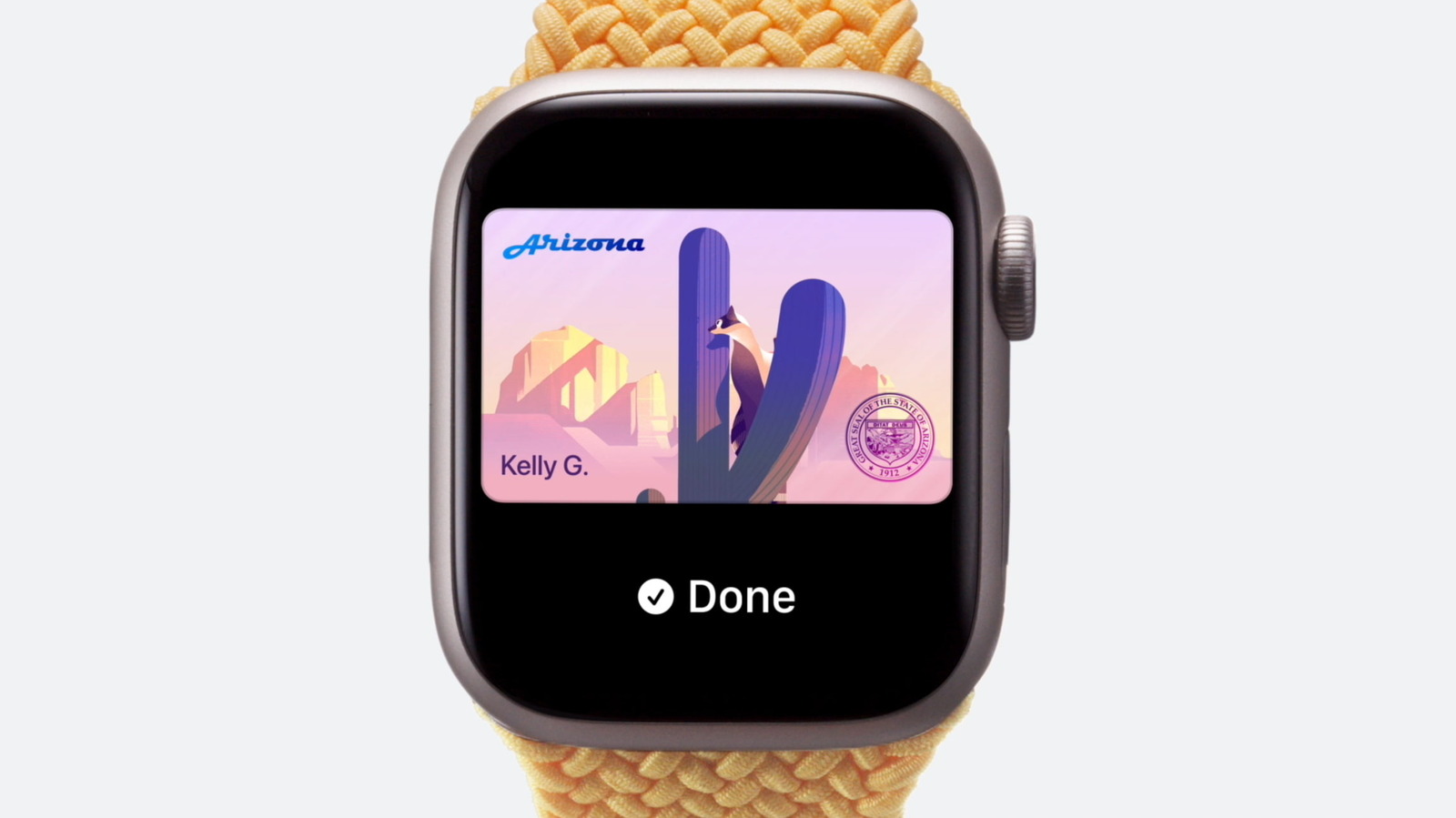
Adding a driver's license to Apple Wallet allows users to digitally store and present their state-issued identification via iPhone or Apple Watch. This process utilizes Secure Element technology to ensure data privacy. Currently, acceptance is limited to specific jurisdictions and select retailers, requiring users to verify local laws before reliance.
Key Takeaways
- Digital Identity Expansion: Apple has enabled the digital storage of driver's licenses in Wallet, mirroring the functionality of physical cards for basic identification tasks.
- Restricted Geographic Availability: As of **2024**, this feature is supported in only a handful of U.S. states, including **New York**, **Florida**, and **Massachusetts**, limiting global utility.
- Privacy-First Architecture: The system uses a Secure Element chip to store data locally, ensuring that license information is never transmitted to Apple's servers or third parties during scanning.
- Acceptance Fragmentation: Despite technical readiness, merchant and government agency acceptance remains fragmented, creating a "two-tier" identification system for consumers.
The physical wallet is undergoing a silent extinction event. As plastic cards disappear into digital silos, the driver's license remains the last stubborn artifact of analog bureaucracy. Read continuous Readers 24 coverage on Apple to understand how this shift is reshaping personal data sovereignty. The transition is not merely about convenience; it is a fundamental restructuring of how identity is verified in a digital-first world.
01 The Fractured Landscape of Digital Identity
For decades, the driver's license has served as the de facto passport for domestic life. It verifies age, residency, and identity with a single swipe. However, the digital ecosystem has outpaced legal frameworks, creating a gap between technological capability and regulatory acceptance.
Users in supported states can now store their licenses in the Wallet app. Yet, in unsupported regions, the feature remains grayed out. This creates a confusing, patchwork experience where a user’s ability to use their phone as ID depends entirely on their postal code.
Consider the scenario of a traveler crossing state lines. In **New York**, a digital license may be accepted at a hotel check-in. In **Texas**, the same digital card is legally inert. This inconsistency forces users to carry both physical and digital identities, negating the primary benefit of the digital shift.
02 Structural Barriers to Universal Adoption
Why has this adoption been so slow? Three distinct structural factors are stalling the transition from plastic to pixels.
1. Regulatory Fragmentation
Identity verification laws vary by state. There is no federal standard for digital ID acceptance. States must individually pass legislation to recognize digital licenses as legally equivalent to physical cards. This legislative patchwork slows down consumer trust and merchant compliance.
2. Infrastructure Lag in Verification Systems
Many point-of-sale systems and law enforcement tools are not yet integrated with Apple’s Secure Element architecture. Merchants require specialized hardware or software updates to read digital IDs. Until these systems are universally upgraded, the digital license is a curiosity rather than a utility.
3. Privacy Concerns and Data Sovereignty
Consumers are wary of storing sensitive government-issued data on private corporate devices. While Apple’s architecture claims local storage, the perception of privacy risk remains high. This hesitation dampens adoption rates, even among tech-savvy demographics.
03 The Security Paradox: More Data, Less Exposure
Counterintuitively, the most secure version of your ID is the one that is never uploaded to the cloud. Apple’s digital license relies on the Secure Element, a tamper-resistant chip that stores the driver’s license data locally on the device.
This means that when you present your ID, the data is read directly from the phone. It is not sent to Apple, the merchant, or any third party. This architecture actually reduces the attack surface compared to traditional cloud-based verification methods, which often involve transmitting sensitive data over open networks.
"The digital driver's license is not a new database; it is a closed loop of secure, local data that offers a higher degree of privacy than its physical predecessor."
— Senior Editorial Desk, Readers 24
04 Physical vs. Digital: A Comparative Analysis
| Key Dimension | Physical Driver's License | Apple Wallet Digital License |
|---|---|---|
| Portability | Requires physical wallet; prone to loss or theft | Always on person via iPhone/Watch; no physical card needed |
| Geographic Validity | Universally accepted across all U.S. states | Limited to specific states and participating merchants |
| Privacy Architecture | Data visible on card; no encryption | Encrypted locally; data never leaves the Secure Element without consent |
| Renewal Process | Manual renewal; physical card replacement | Automatic update via DMV integration; instant sync |
05 Industry Perspectives on the Shift
Technology executives emphasize that the barrier is not technical but legal. Industry analysts note that while the hardware is ready, the legal framework lags behind by years. This disconnect is the primary hurdle to mass adoption.
Public sentiment surveys indicate a growing preference for digital ID, with **over 60%** of consumers expressing willingness to use a digital license if it were universally accepted. However, trust remains the critical variable, with users demanding transparent data handling protocols from both government agencies and tech giants.
06 Strategic Roadmap for Users and Institutions
- Verify State Eligibility: Before attempting to add a license, check your state’s DMV website to confirm digital ID support. Currently, **New York**, **Florida**, **Massachusetts**, **Tennessee**, and **Washington** are leading adopters.
- Enable Two-Factor Authentication: Ensure your Apple ID has two-factor authentication enabled. This is a mandatory security requirement for accessing sensitive identity data within the Wallet app.
- Update iOS Regularly: Keep your iPhone or Apple Watch updated to the latest iOS or watchOS version. Digital ID features often require the most recent security patches to function correctly.
- Carry Physical Backup: Until universal acceptance is achieved, always carry your physical license. Digital IDs are a supplement, not a replacement, in most legal contexts.
- Monitor Legislative Updates: Follow state legislative sessions for bills concerning digital identity verification. Policy changes will directly impact your ability to use the feature.
- Check Merchant Acceptance: Not all retailers are equipped to scan digital IDs. Verify with the merchant before relying solely on your phone for age verification or identity checks.
07 The Future of Identity Verification
The digital driver's license is not just a feature; it is a prototype for the future of identity. As more states adopt this technology, the physical card will become a relic. The shift will accelerate as privacy protections become more robust and legal frameworks unify.
For now, the user must navigate a transitional landscape. The key is to stay informed, stay secure, and understand that your digital identity is as valuable as your physical one. The future is digital, but the path there is paved with regulatory hurdles that must be carefully traversed.
08 Frequently Asked Questions
How do I add my driver's license to Apple Wallet?
Open the Wallet app, tap the plus icon, select "Driver's License," and follow the on-screen instructions. You will need to scan your physical license using your iPhone's camera to import the data securely.
Can I use my digital license in all U.S. states?
No. Digital license acceptance is state-dependent. As of 2024, it is only legally recognized in a limited number of states, including New York and Florida. Always verify local laws before use.
Is my personal data uploaded to Apple's servers?
No. The driver's license data is stored locally on your device's Secure Element chip. It is never transmitted to Apple's servers or any third party without your explicit consent during a scan.
Does the digital license work for airport security?
Generally, no. The TSA has not yet widely adopted digital driver's licenses for airport security screening. You must carry your physical ID or a TSA-approved travel document for air travel.
Can I use the digital license on Apple Watch?
Yes. If you have added the license to your iPhone, you can enable the "Wallet" app on your Apple Watch to present your digital license without your phone, provided your state supports the feature.
Stay Ahead with Readers 24 Intelligence
Subscribe to continuous updates and follow live global news, unbiased market analysis, and in-depth investigations reported 24/7 across our international bureaus.
Comments (2)
This is a highly insightful piece. The shifts in the technological landscape are truly unprecedented and I'm eager to see how it affects global markets in the next quarter.
I completely agree with the points made here. However, I think the regulatory aspect will be the biggest hurdle moving forward before we see mass adoption.